Text Analysis of U.S. Presidents’ Inaugural Addresses

The pyliwc package is a powerful tool for text analysis using the LIWC framework. It helps in quantifying various linguistic and psychological features from text data, making it invaluable for researchers and data scientists interested in text analytics.

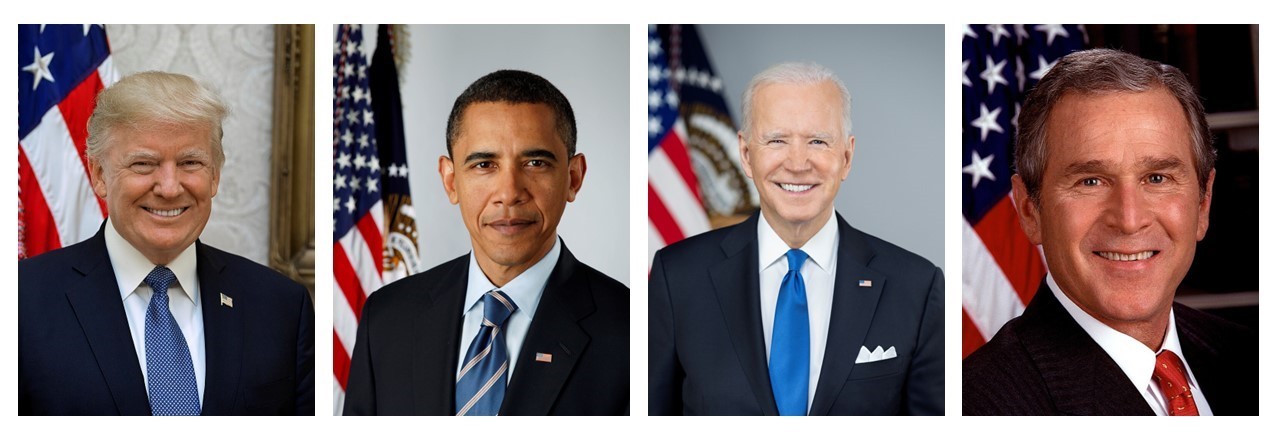
In this tutorial, we will focus on analyzing the inaugural addresses of four U.S. Presidents: George W. Bush, Barack Obama, Donald Trump, and Joe Biden. The goal is to gain insights into their linguistic styles and psychological attributes as expressed in their speeches.

💻 Installation

To install the pyliwc package, you need to have Python and pip installed on your system. Use the following command to install:

pip install pyliwc

Or using Conda

conda install -c pyliwc

Ensure that you have the LIWC-22-cli.exe executable available, as it is required for the analysis.

🚀 Quick start

To begin using pyliwc, you need to import the Liwc class from the package and create an instance. Here’s how you can get started:

from pyliwc import Liwc

# Initialize the Liwc instance with the LIWC CLI executable
liwc = Liwc('LIWC-22-cli.exe')

text = "On this day, we gather because we have chosen hope over fear, unity of purpose over conflict and discord."

r = liwc.analyze_string_to_json(text)
print(r)
Picked up JAVA_TOOL_OPTIONS: -Dfile.encoding=UTF-8
{'Segment': 1, 'WC': 19, 'Analytic': 67.62, 'Clout': 99, 'Authentic': 8.42, 'Tone': 1, 'WPS': 19, 'BigWords': 21.05, 'Dic': 89.47, 'Linguistic': 63.16, 'function': 52.63, 'pronoun': 15.79, 'ppron': 10.53, 'i': 0, 'we': 10.53, 'you': 0, 'shehe': 0, 'they': 0, 'ipron': 5.26, 'det': 5.26, 'article': 0, 'number': 0, 'prep': 21.05, 'auxverb': 5.26, 'adverb': 0, 'conj': 10.53, 'negate': 0, 'verb': 10.53, 'adj': 0, 'quantity': 5.26, 'Drives': 15.79, 'affiliation': 15.79, 'achieve': 0, 'power': 0, 'Cognition': 15.79, 'allnone': 0, 'cogproc': 15.79, 'insight': 0, 'cause': 10.53, 'discrep': 5.26, 'tentat': 5.26, 'certitude': 0, 'differ': 0, 'memory': 0, 'Affect': 15.79, 'tone_pos': 5.26, 'tone_neg': 10.53, 'emotion': 10.53, 'emo_pos': 5.26, 'emo_neg': 5.26, 'emo_anx': 5.26, 'emo_anger': 0, 'emo_sad': 0, 'swear': 0, 'Social': 15.79, 'socbehav': 5.26, 'prosocial': 0, 'polite': 0, 'conflict': 5.26, 'moral': 0, 'comm': 0, 'socrefs': 10.53, 'family': 0, 'friend': 0, 'female': 0, 'male': 0, 'Culture': 0, 'politic': 0, 'ethnicity': 0, 'tech': 0, 'Lifestyle': 0, 'leisure': 0, 'home': 0, 'work': 0, 'money': 0, 'relig': 0, 'Physical': 0, 'health': 0, 'illness': 0, 'wellness': 0, 'mental': 0, 'substances': 0, 'sexual': 0, 'food': 0, 'death': 0, 'need': 0, 'want': 5.26, 'acquire': 5.26, 'lack': 0, 'fulfill': 0, 'fatigue': 0, 'reward': 0, 'risk': 0, 'curiosity': 0, 'allure': 10.53, 'Perception': 10.53, 'attention': 0, 'motion': 0, 'space': 10.53, 'visual': 0, 'auditory': 0, 'feeling': 0, 'time': 5.26, 'focuspast': 0, 'focuspresent': 0, 'focusfuture': 5.26, 'Conversation': 0, 'netspeak': 0, 'assent': 0, 'nonflu': 0, 'filler': 0, 'AllPunc': 15.79, 'Period': 5.26, 'Comma': 10.53, 'QMark': 0, 'Exclam': 0, 'Apostro': 0, 'OtherP': 0, 'Emoji': 0}
📁 Analyzing a folder

The analyze_folder function allows users to perform a comprehensive analysis of multiple text files located in a specified directory. This function leverages the LIWC tool to extract various linguistic and psychological features from the text data.


def analyze_folder(self: Liwc,
                   input_folder: str, 
                   output_location: str, 
                   liwc_dict: str = "LIWC22"):

Parameters - input_folder The path to the folder containing text files to be analyzed. This parameter specifies the location of the text data on which the LIWC analysis will be performed.

  • output_location The path where the analysis output will be saved. The results will be stored in this location as a CSV file.

  • liwc_dict: str Specifies the LIWC dictionary to use for analysis. Defaults to “LIWC22”.

Here’s an example of how to use the analyze_df function:

from pyliwc import Liwc

# Initialize the Liwc object with the path to the LIWC CLI executable
liwc = Liwc('LIWC-22-cli.exe')

# Specify the input folder containing text files and the output location
input_folder = '../data/inaugural-address'
output_location = '../data/US-president_analysis.csv'

# Perform analysis using the default LIWC22 dictionary
liwc.analyze_folder(input_folder=input_folder, 
                    output_location=output_location, 
                    liwc_dict='LIWC22')

print(f"Analysis completed. Results saved to {output_location}.")

💾Analyzing a DataFrame

The analyze_df function is a key feature of pyliwc. It allows you to analyze a Pandas DataFrame containing text data. Below is the function signature and its parameters:


def analyze_df(self: Liwc, 
               text: pd.Series, 
               return_input: bool = False, 
               liwc_dict: str = "LIWC22") -> pd.DataFrame

Parameters - text: pd.Series A Pandas Series containing the text data to be analyzed.

  • return_input: bool A boolean flag indicating whether to include the input text in the output DataFrame. Defaults to False.

  • liwc_dict: str Specifies the LIWC dictionary to use for analysis. Defaults to “LIWC22”.

Returns - pd.DataFrame A DataFrame containing the LIWC analysis results.

Function Workflow 1. Input Conversion: The function takes the input text series and converts it to a temporary CSV file. 2. LIWC Analysis: The function calls the LIWC CLI to perform text analysis, specifying the LIWC dictionary and other parameters. 3. Output Handling: Results are read from the generated CSV output and compiled into a DataFrame.

Here’s an example of how to use the analyze_df function:

import pandas as pd
df = pd.read_csv('../data/US-president.csv')
df
df.columns
from pyliwc import Liwc

liwc = Liwc('LIWC-22-cli.exe')

# Analyze the text data
result_df = liwc.analyze_df(df['Text'], return_input=True, liwc_dict='LIWC22')

The resulting DataFrame will have several columns corresponding to LIWC categories. Each category provides metrics such as word count, emotional tone, cognitive processes, etc. Here’s a glimpse of what you might see:

  • WC: Word Count
  • Analytic: Analytical thinking
  • Clout: Social status and confidence
  • Authentic: Authenticity of the speech
  • Tone: Emotional tone of the address
# Display the result
result_df

Radar plot

Now, we’ll use matplotlib to create a radar plot. We’ll customize it to include labels and titles to enhance understanding. For readability, we plot the most recent Presidents.

import matplotlib.pyplot as plt
import numpy as np

categories = ['Analytic', 'Clout', 'Authentic', 'Tone']
N = len(categories)

# Compute angles for each axis
angles = np.linspace(0, 2 * np.pi, N, endpoint=False).tolist()
angles += angles[:1]  # Complete the loop

# Create radar plot
fig, ax = plt.subplots(figsize=(8, 8), subplot_kw=dict(polar=True))

# Define colors for each president
colors = ['red', 'blue']

# Plot each president's data
for i, president in enumerate(df['President'][-2:]):
    values = result_df.loc[i, categories].tolist()
    values += values[:1]  # Complete the loop
    ax.fill(angles, values, color=colors[i], alpha=0.25, label=president)
    ax.plot(angles, values, color=colors[i], linewidth=2)

# Set the category labels on the axes
ax.set_yticklabels([])
ax.set_xticks(angles[:-1])
ax.set_xticklabels(categories, fontsize=12)

# Add a legend and title
plt.legend(loc='lower right', bbox_to_anchor=(1.1, 1.1), fontsize=12)
plt.title('LIWC-22 Analysis of US Presidential Inaugural Addresses', size=15, color='darkblue', weight='bold')

# Display the radar plot
plt.show()

💬Conducting a Language Style Matching

The analyze_lsm function is a key feature of pyliwc. It allows you to analyze Linguistic Style Matching (LSM) based on a Pandas DataFrame containing text data.


def analyze_lsm(self: Liwc, 
                df: pd.DataFrame, 
                calculate_lsm: str = "person-and-group", 
                group_column: str = 'GroupID', 
                person_column: str = 'PersonID', 
                text_column: str = 'Text', 
                output_type: str = "pairwise",
                expanded_output: bool = False, 
                omit_speakers_number_of_turns: int = 0, 
                omit_speakers_word_count: int = 10, 
                segmentation: str = "none"
               ) -> Union[pd.DataFrame, dict]:

Parameters

  • df: pd.DataFrame A Pandas DataFrame containing the text data to be analyzed.

  • calculate_lsm: str Sets the type of LSM calculation. Options are:

    • “person”: Calculate only person-level LSM.
    • “group”: Calculate only group-level LSM.
    • “person-and-group”: Calculate both person and group-level LSM. Default is “person-and-group”.
  • group_column: str The column name in df representing the Group ID. Default is ‘GroupID’.

  • person_column: str The column name in df representing the Person ID. Default is ‘PersonID’.

  • text_column: str The column name in df representing the text data. Default is ‘Text’.

  • output_type: str Sets the type of output. Default is “pairwise”. Options are:

    • “one-to-many”: One-to-many comparison.
    • “pairwise”: Pairwise comparison.
  • expanded_output: bool Adds an option to get an expanded LSM output. Default is False.

  • omit_speakers_word_count: int Omit speakers if the word count is less than this value. Default is 10.

  • segmentation: str Segmentation options for splitting the text. Default is “none”. Options are:

    • “none”: No segmentation.
    • “not=”: Number of turns per segment.
    • “nofst=”: Number of segments by speaker turn.
    • “nofwc=”: Number of segments by word count.
    • “now=”: Number of words per segment.
    • “boc=”: Segmentation based on characters.
    • “regexp=”: Segmentation based on a regular expression.

Returns - pd.DataFrame, dict]

The resulting LSM analysis. The output format depends on the specified output_format. Function Workflow

Here’s an example of how to use the analyze_lsm function with a sample DataFrame:

from pyliwc import Liwc
import pandas as pd

liwc = Liwc('LIWC-22-cli.exe')

df = pd.read_csv('../data/US-president.csv')

lsm = liwc.analyze_lsm(
    df=df, 
    calculate_lsm="person-and-group", 
    group_column='Party', 
    person_column='President', 
    text_column='Text', 
    output_type="pairwise", 
    expanded_output=False, 
    omit_speakers_number_of_turns=0, 
    omit_speakers_word_count=10, 
    segmentation="none"
)
lsm['person_level']
lsm['group_level']

📊Conducting a Narrative Arc Analysis

The narrative_arc allows you to analyze the narrative arc of text data based on a Pandas DataFrame.

def narrative_arc(self: Liwc, df: pd.DataFrame, column_names: Union[list, None] = None, 
                  output_individual_data_points: bool = True, scaling_method: str = '0-100', 
                  segments_number: int = 5, skip_wc: int = 10) -> pd.DataFrame:

Parameters

  • df: pd.DataFrame A Pandas DataFrame containing the text data to be analyzed.

  • column_names: List of column names in df that should be processed. If None, all columns are processed. Default is None.

  • output_individual_data_points: If True, outputs individual data points for each segment. If False, aggregates the data. Default is True.

  • scaling_method: Method for scaling the data. Options are:

    • "0-100": Scale values between 0 and 100.
    • "Z-score": Scale values using Z-score normalization. Default is “0-100”.
  • segments_number: int Number of segments into which the text is divided for analysis. Default is 5.

  • skip_wc: int Skip any texts with a word count less than this value. Default is 10.

Returns

  • pd.DataFrame The resulting DataFrame with the narrative arc analysis.
from pyliwc import Liwc
import pandas as pd

liwc = Liwc('LIWC-22-cli.exe')

df = pd.read_csv('../data/US-president.csv')

arc = liwc.narrative_arc(
    df=df, 
    column_names=['Text'], 
    output_individual_data_points=True, 
    scaling_method='0-100', 
    segments_number=5
)
from IPython.display import display

for i, president in enumerate(df.President.tolist()):
    fig = liwc.plot_narrative_arc(df=arc[arc.index == i], legend_labels=[president])
    fig.suptitle(president, y=1.05, fontweight='bold')
    display(fig)